New Feture Update : STR regulation widget in the Zi-Find subscriber dashboard
Purpose
To guide users of the Zi-Find platform in utilizing the Short-Term Rental (STR) Regulation Widget to evaluate local STR regulations and make informed investment decisions in Airbnb and rental arbitrage markets.
Roles and Responsibilities
| Role | Responsibility |
|---|---|
| Zi-Find Subscriber | Define search criteria, analyze regulation data, make informed property decisions |
| Zi-Find Platform | Provide real-time regulation information and links to official city sources |
Procedure
1. Access the STR Regulation Widget
Log into your Zi-Find subscriber dashboard.
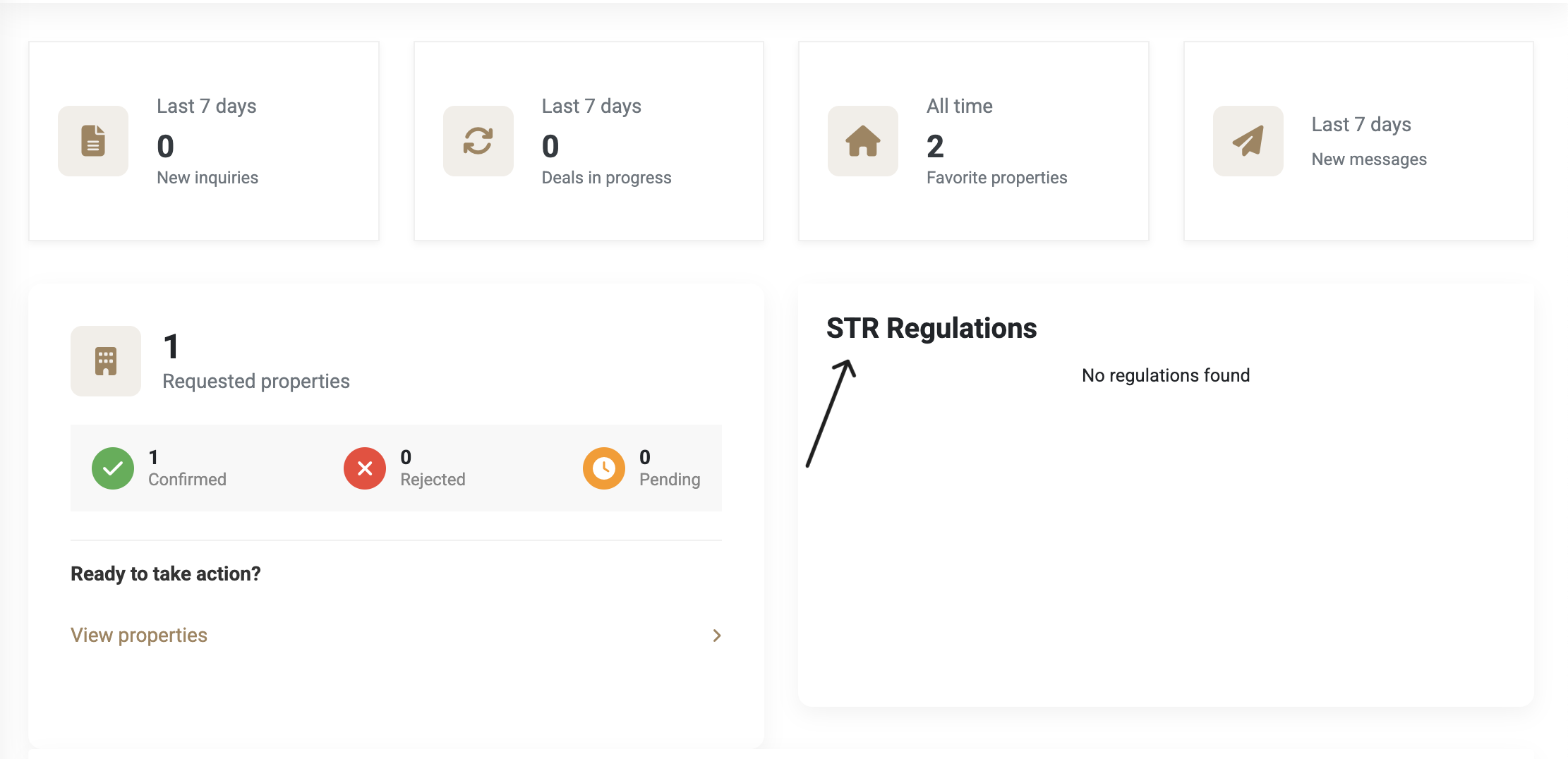
Locate the STR Regulation Widget on the main dashboard.
2. Define Search Criteria
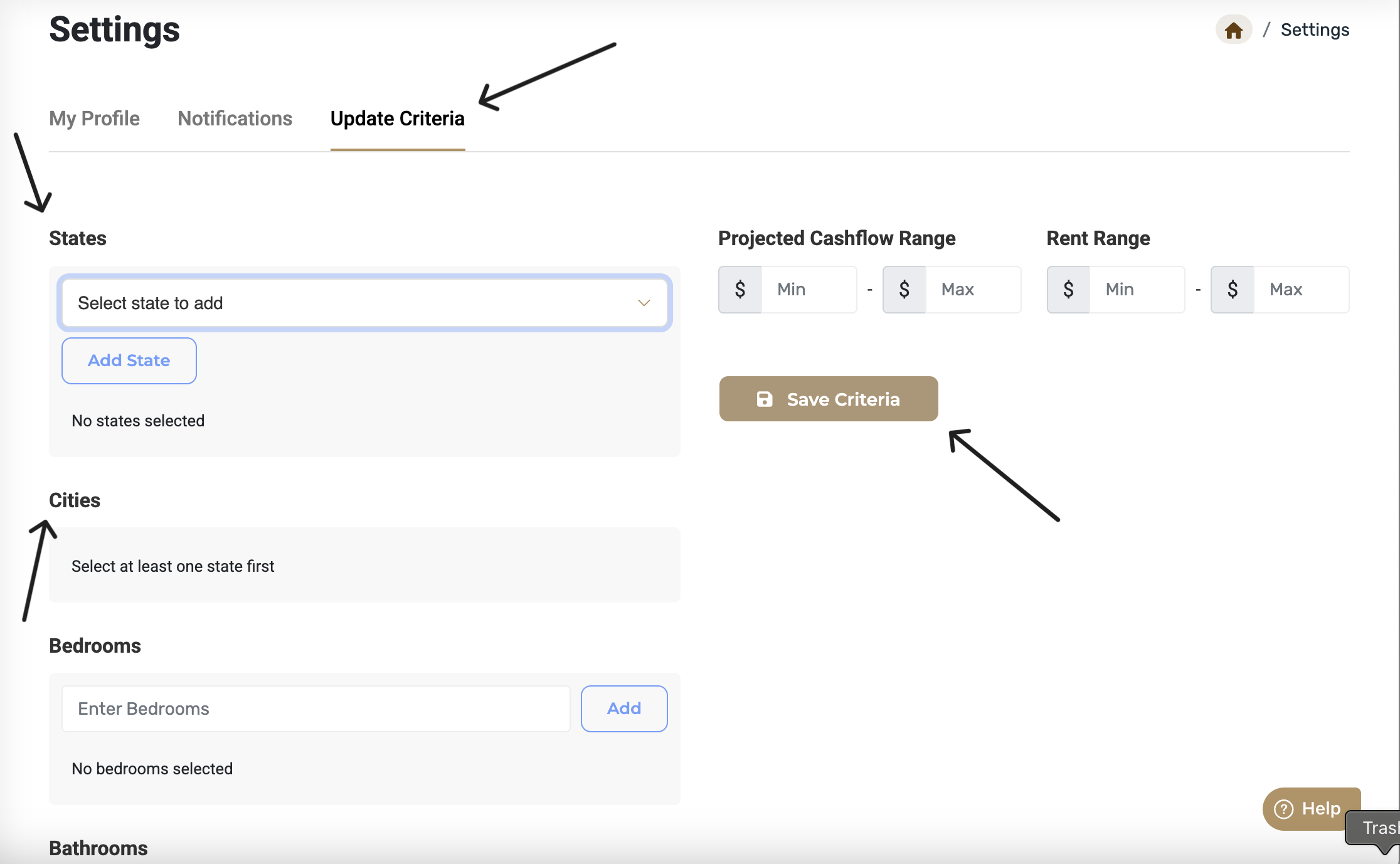
Navigate to the Update Criteria section.
Select states and cities you are interested in (e.g., Georgia – Atlanta, Louisiana – New Orleans, Arkansas – Little Rock).
Save the criteria. A confirmation will appear: “Criteria saved successfully.”
3. Analyze Regulation Data
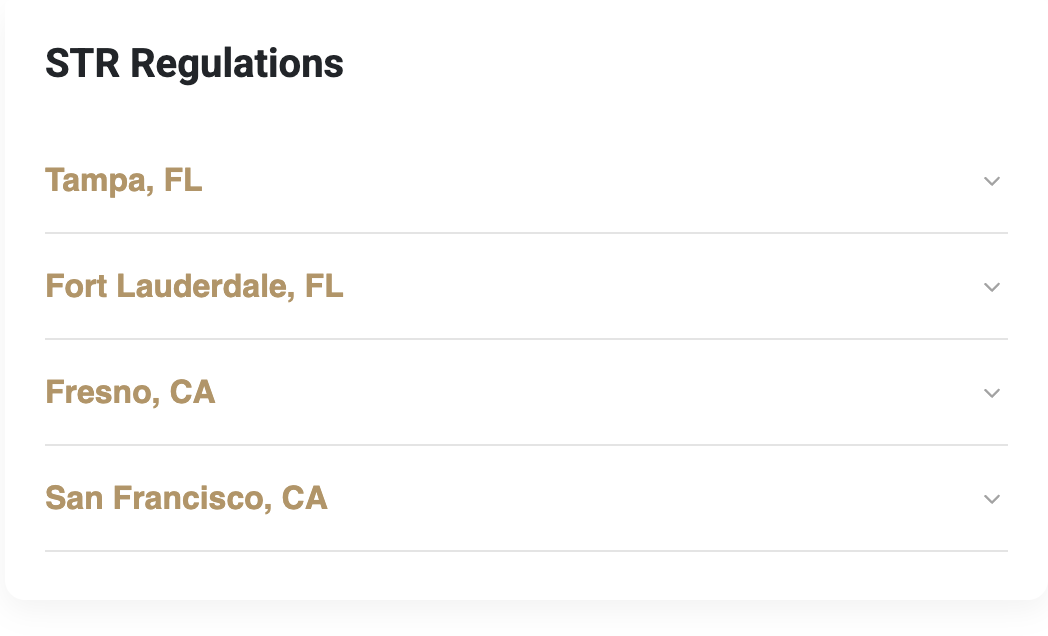
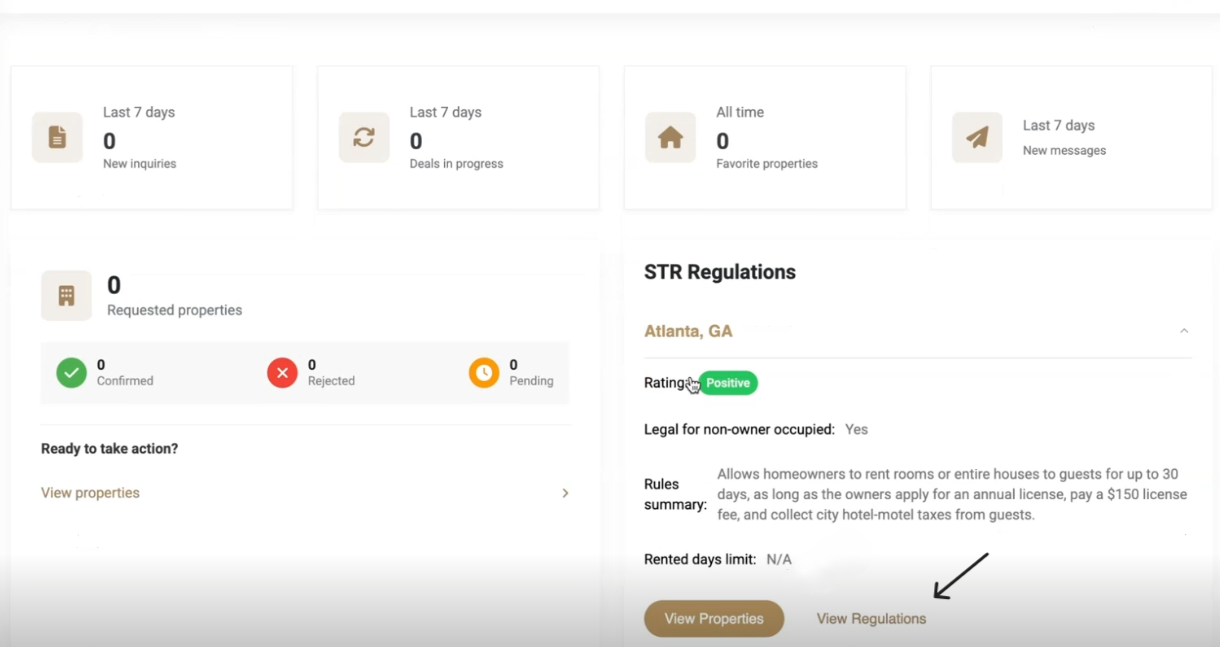
Return to the dashboard to view STR regulations for selected locations.
For each city:
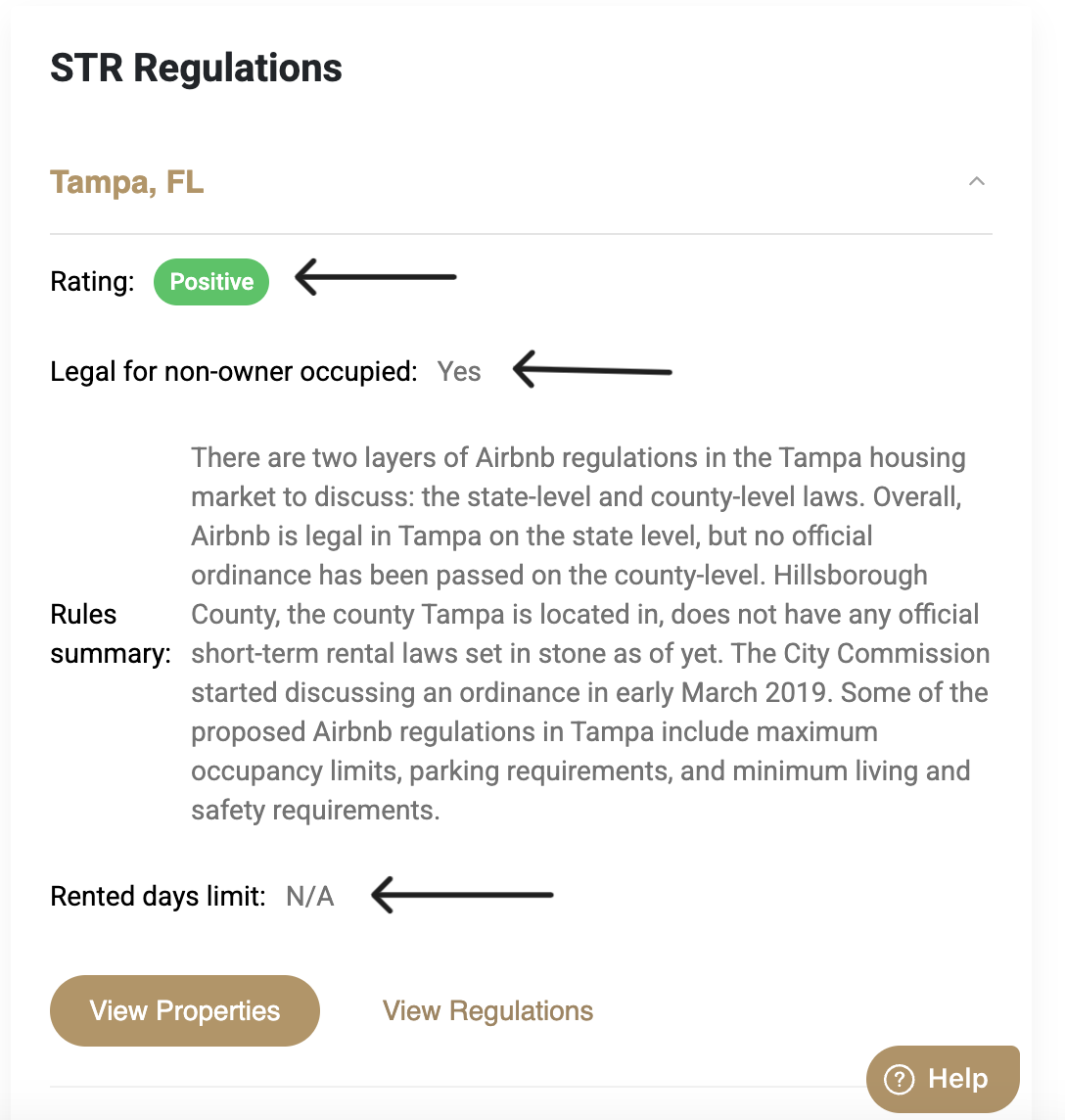
Check if the regulation rating is positive or negative.
See if non-owner-occupied rentals are legal.
Review the summary of city-specific STR regulations.
Confirm if there's a limit on the number of days a property can be rented.
4. View Regulation Sources
Click the View Regulations button to access the official city website or documents outlining STR laws.
5. Browse Properties (Optional)
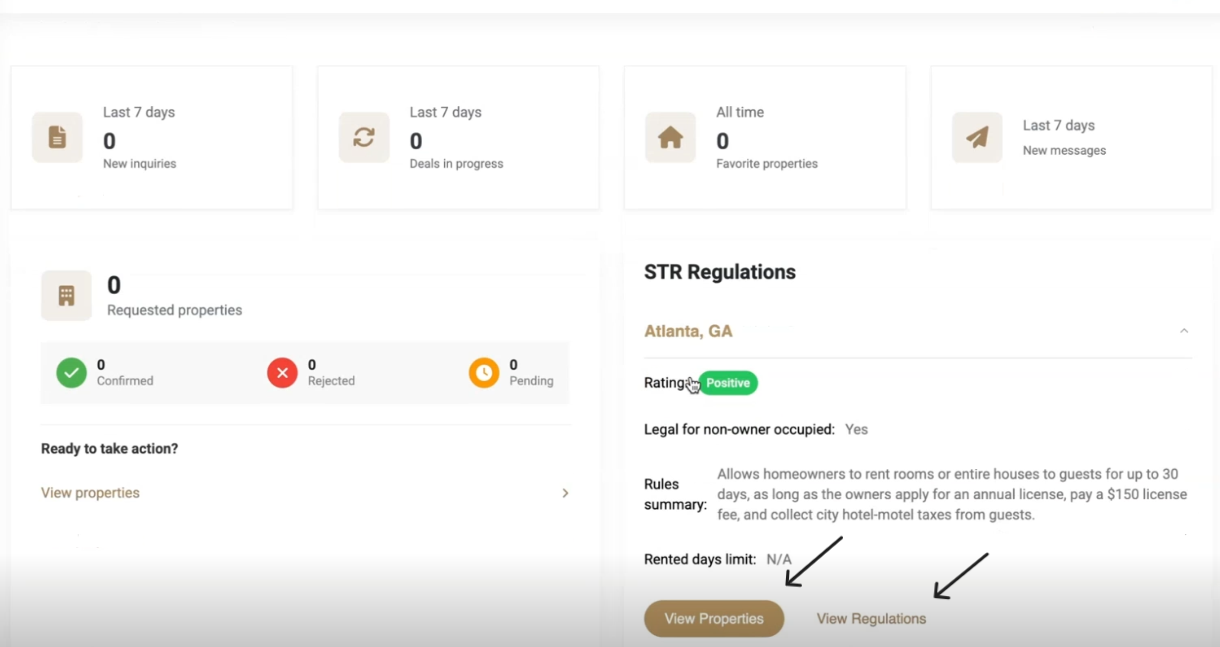
Based on your criteria and the STR regulation data, browse listed properties.
Notes
Access additional support at https://help.zi-find.com/
Was this article helpful?
That’s Great!
Thank you for your feedback
Sorry! We couldn't be helpful
Thank you for your feedback
Feedback sent
We appreciate your effort and will try to fix the article