How to "Delete" Inquiries in the Zi-Find Platform
Purpose
To provide guidance on how to remove unwanted property inquiries in the Zi-Find platform, ensuring a clutter-free and organized inquiry list.
Procedure
Accessing Inquiries
Log into the Zi-Find platform.
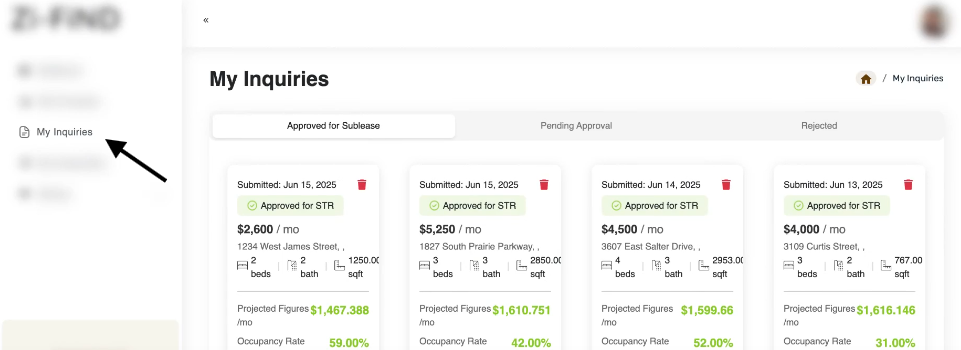
Navigate to the "My Inquiries" section where all your property inquiries are listed.
Identifying Inquiries to Remove
Review the list of your submitted inquiries.
Determine which inquiries are no longer needed or relevant (e.g., properties you no longer wish to pursue).
Deleting (Trashing) an Inquiry
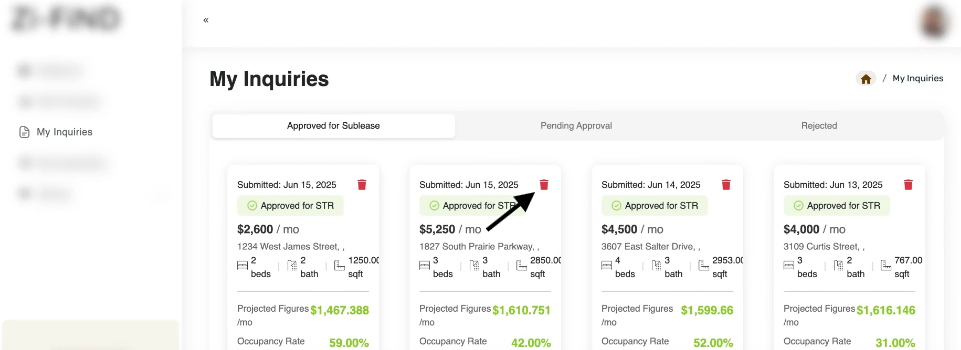
Select the inquiry you wish to remove.
Click the "Delete" icon to trash the inquiry.
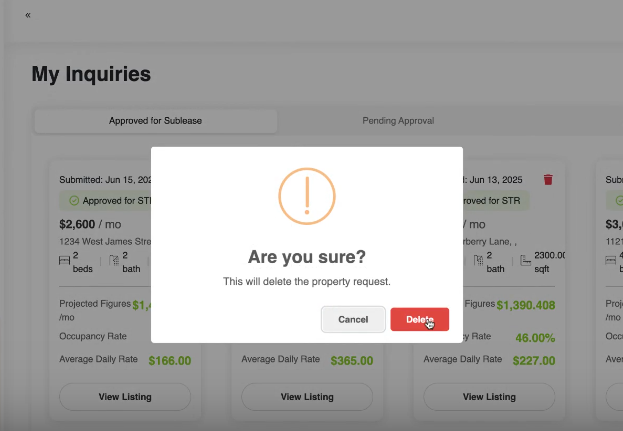
Confirm deletion if prompted.
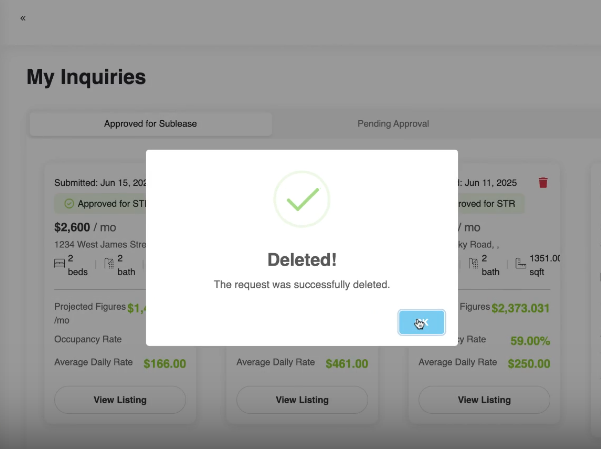
Post-Deletion Verification
Ensure that the inquiry has been removed from your list.
Confirm that only the relevant and active inquiries remain visible.
Notes
This feature was added in response to user feedback requesting the ability to manage and declutter inquiries.
Previously, inquiries could not be removed, resulting in a cluttered workspace.
Users can now easily control which property inquiries remain in their account view.
Was this article helpful?
That’s Great!
Thank you for your feedback
Sorry! We couldn't be helpful
Thank you for your feedback
Feedback sent
We appreciate your effort and will try to fix the article