Purpose
This Standard Operating Procedure (SOP) outlines the process for using the "Favorite Properties" feature in the Zi-Find platform, enabling users to bookmark property listings for future reference.
Roles & Responsibilities
Users: Utilize the favorite feature to bookmark properties of interest.
Procedure
1. Accessing Property Listings
Navigate to the Zi-Find platform.
Browse through property listings available on the platform.
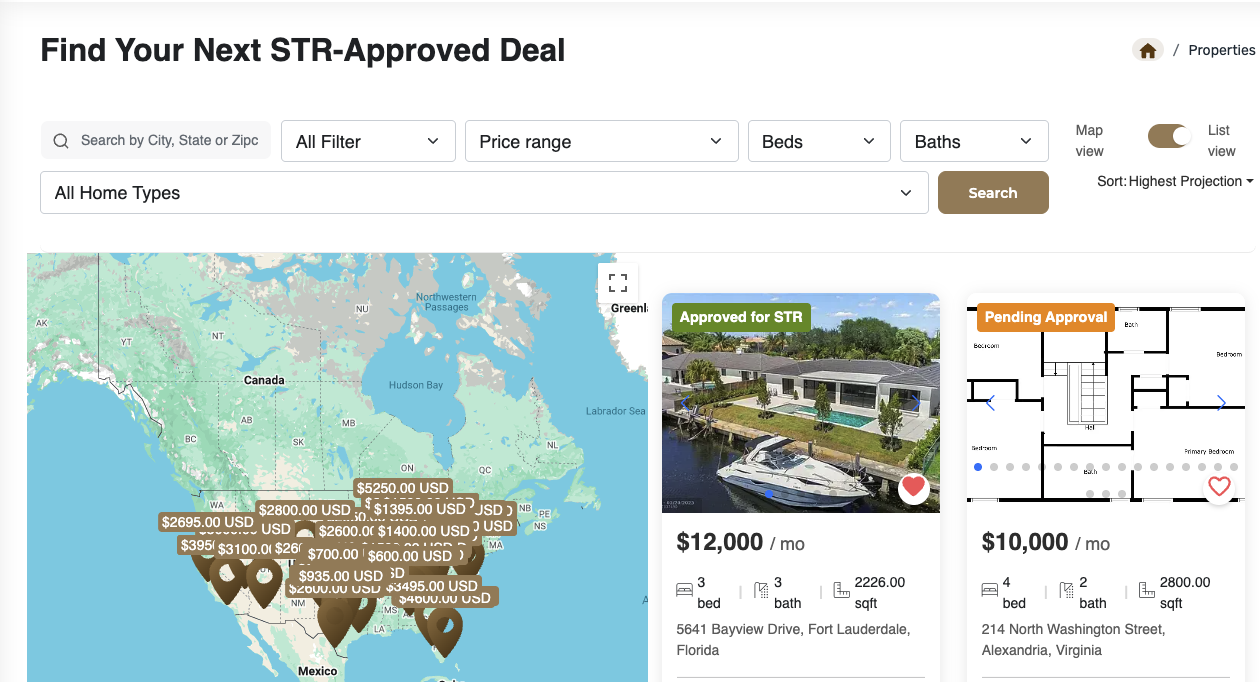
2. Favoriting a PropertyWhen a user sees a listing they like (regardless of approval status), they can click the "Favorite" icon associated with the listing.
3. Viewing Favorited Properties
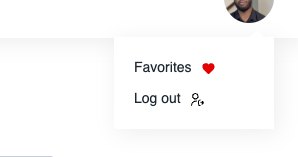
Click on the profile tab located in the top right-hand corner of the platform.
Select the “Favorites” section located just above the logout option.
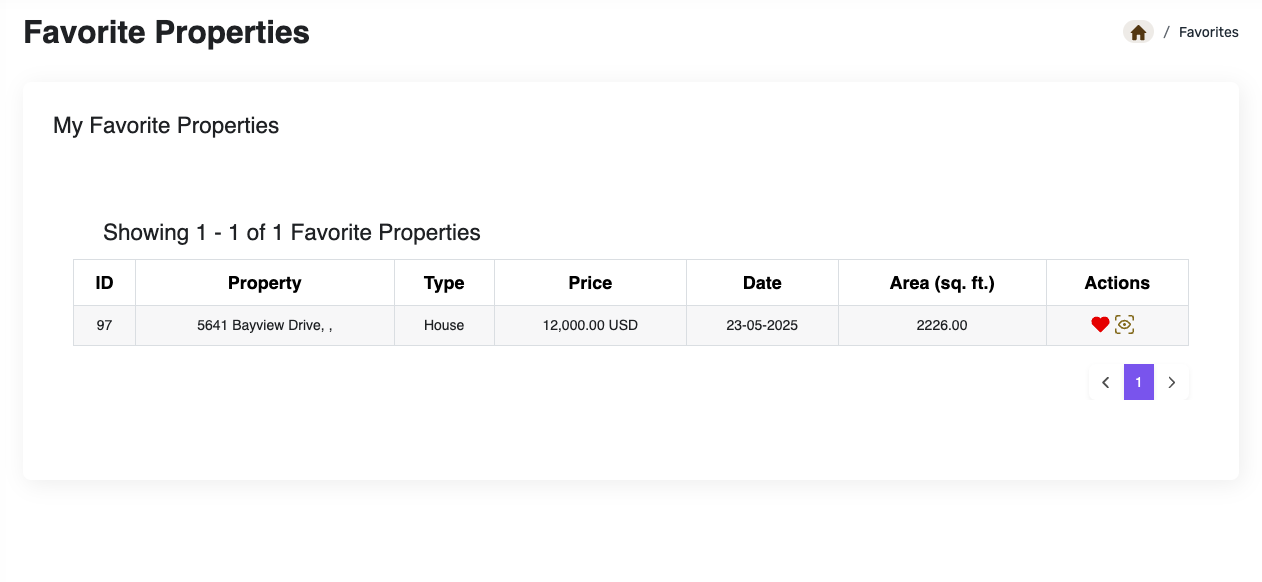
View all favorited properties in a consolidated list.
4. Managing Favorites
To unfavorite a listing, click the favorite icon again to deselect.
To view a listing, click the eye icon (a square with an eye inside) next to the property.
5. Feedback and Updates
Users are encouraged to provide feedback on this feature via: https://zi-find.canny.io/
Updates and improvements to the feature are logged and visible on the roadmap tab.
Version History
Initial Release: Feature launched with the ability to favorite properties.
images/icons for UI references.
Was this article helpful?
That’s Great!
Thank you for your feedback
Sorry! We couldn't be helpful
Thank you for your feedback
Feedback sent
We appreciate your effort and will try to fix the article