Automated Property Matching via User-Defined Criteria
Purpose
To streamline how users receive and act on property recommendations by transitioning from manual email delivery to a fully automated, self-serve process through the platform.
What’s Changed
| Old Workflow | New Workflow |
|---|---|
| Direct emails based on suggested/recommended/custom properties to users. | Users access properties directly in the platform to view information. |
| Users look up property info manually (Google, Zillow). | Properties include all relevant data (based on inputted criteria), including the owner contact. |
| Users manually notify the team if the property is not a fit. | Users skip unfit properties and contact owners directly if interested. |
Why This Is Better
Efficiency: Eliminates back-and-forth email exchanges and manual lookups.
Real-Time Access: Users see new properties instantly as they are added.
Self-Screening: Users define their investment thresholds (e.g., desired cash flow).
Direct Contact: Property listings include owner contact info - no middleman needed.
Consistency: Ensures users only view properties that match their saved criteria.
How To Use the System
Step 1: Update Your Criteria
Log in to the platform.
Go to Settings > Update Criteria.
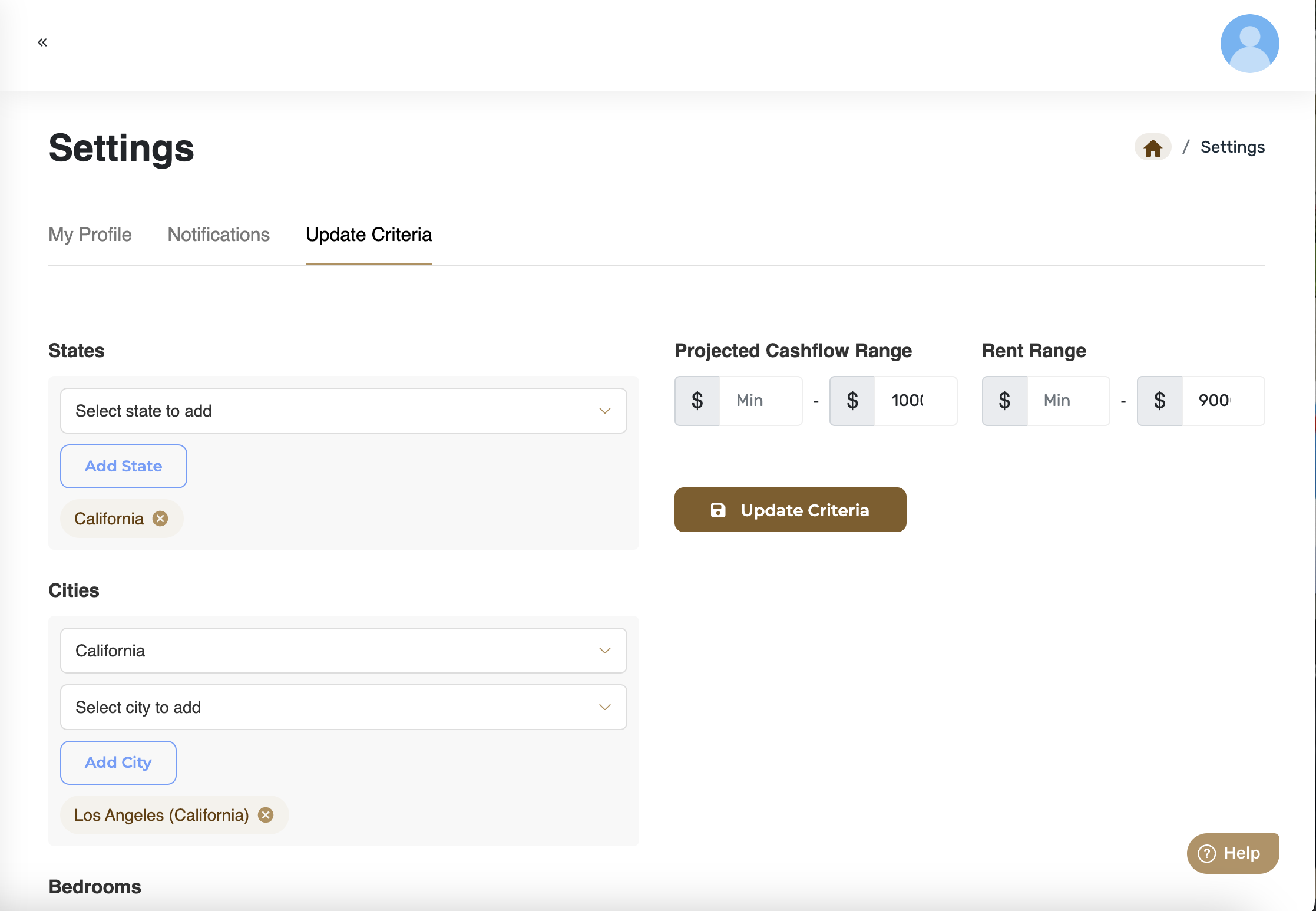
Input or modify the following:
Desired States and Cities
Bedrooms & Bathrooms
Rent Range
Desired Projected Cash Flow
Click Save.
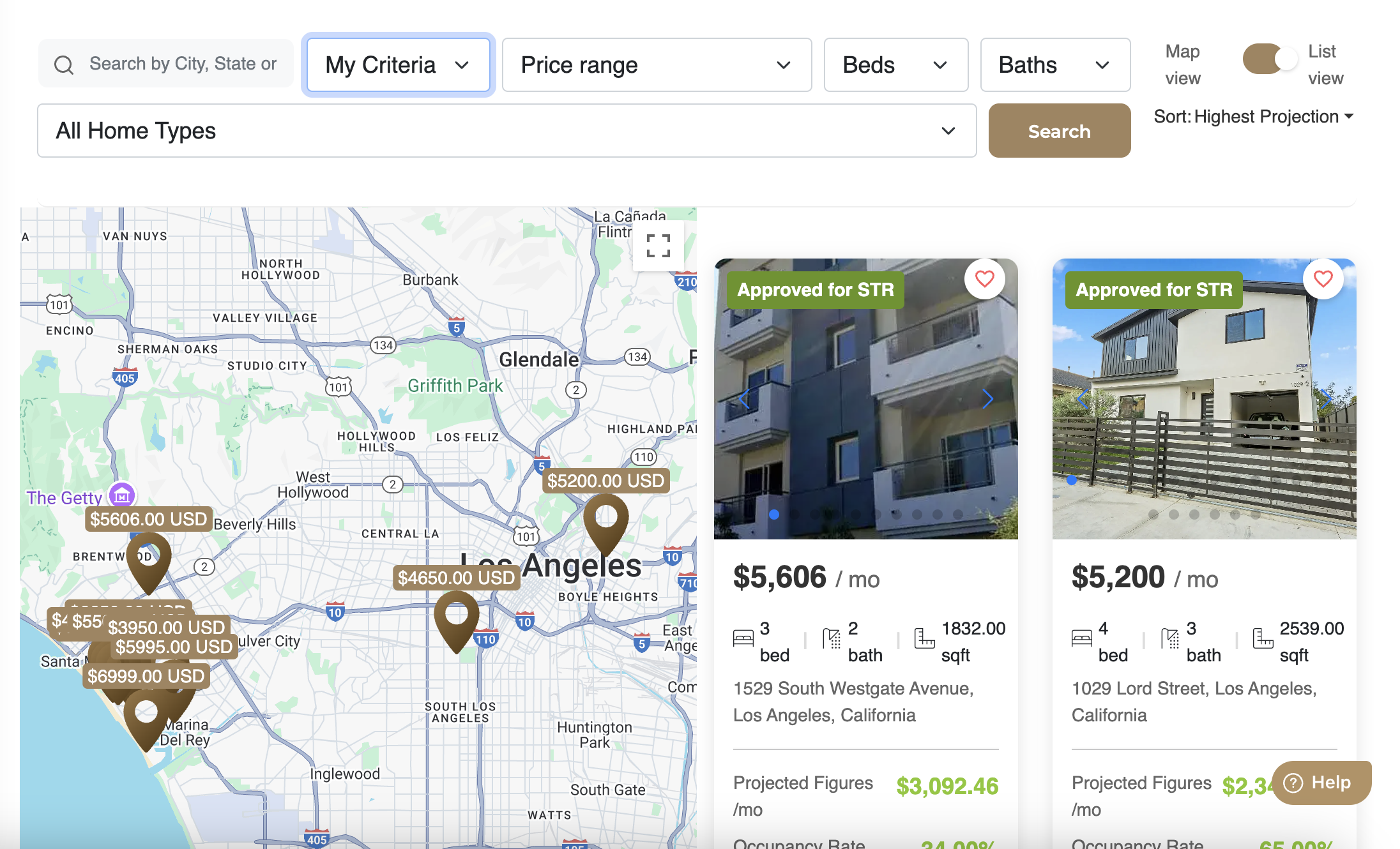
Step 2: Access Matching Properties
Go to Find Properties.
Select the My Criteria filter.

Click Search.
View:
Suggested Properties
Recommended Properties
Properties matching your Custom Search Criteria
Step 3: Take Action
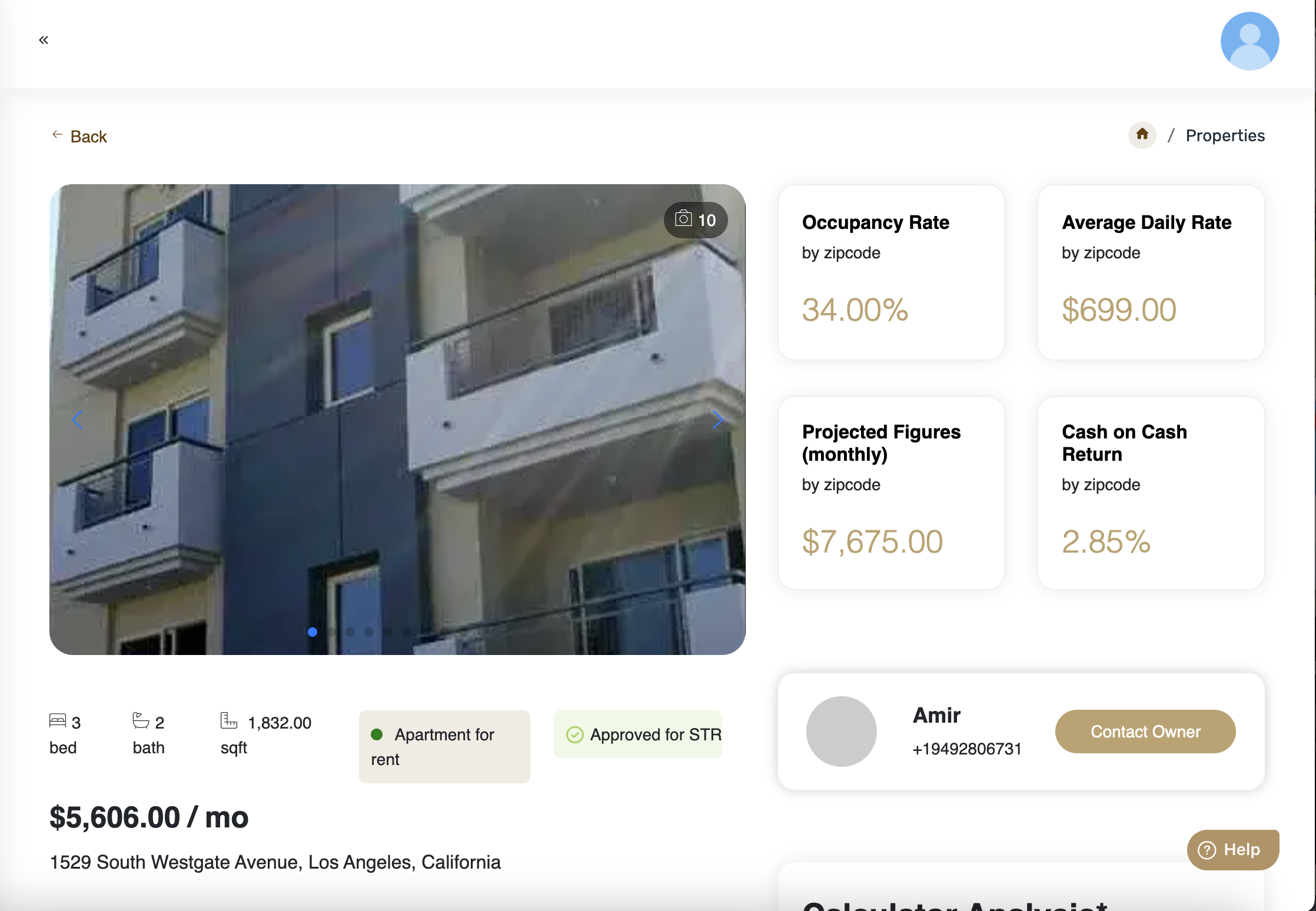
Review the property details (no need for external lookups).
If interested, use the Owner Contact Info provided in the listing.
No need to contact the support team unless assistance is needed.
Was this article helpful?
That’s Great!
Thank you for your feedback
Sorry! We couldn't be helpful
Thank you for your feedback
Feedback sent
We appreciate your effort and will try to fix the article